Saturday, October 31, 2026

HMC Mark IV - Austin‑Healey 3000 Mk III reproduction with modern components


"It features a modern tubular chassis and contemporary drivetrain while retaining the unmistakable shape and character of the original Big Healey. Power comes from a robust Rover 3.9‑litre V8 engine, giving the car strong performance and a wonderfully charismatic soundtrack."
"Only 170 examples were built to bespoke order, meaning every car is unique and exclusivity is guaranteed."

A Method to Align a Table Saw Blade


Create or buy a jig to hold a Dial-Indicator against the blade as you slide the jig parallel to the blade in the Miter-Slot.

This video goes into details discussing how and where to measure in order to achieve the best results.
Reference the same tooth with the blade in different (rotation) positions.

Friday, October 30, 2026

Ditch the data center: I fired my cloud chatbot and built a free local AI agent to run on my PC — and you can too | Tom's Guide

https://www.tomsguide.com/ai/ditch-the-data-center-i-fired-my-cloud-chatbot-and-built-a-free-local-ai-agent-to-run-on-my-pc-and-you-can-too

Thursday, October 29, 2026

Bratwurst Air Fryer Recipe

For air fryer bratwurst, preheat your air fryer to 380°F, then put raw bratwursts in a single layer and air-fry for about 8-12 minutes (depending on size) flipping halfway. 
Use a meat thermometer to confirm they reach an internal temperature of 160°F.

Monday, October 26, 2026

Intel Xpress - the Forgotten EISA bus

A vintage PC from the early 1990s, this would have been a good performer when new:
"Launched in 1992 and discontinued in 1995, the Intel Xpress product line sat somewhere between the personal computer and the workstation. These were not ordinary home PCs, but modular, expandable machines built for professional and networked business use (and also built like tanks). Three versions were produced: the Xpress Desktop, the Deskside/LX (tower/server), and the Deskside/MX (tower/server with SCSI). The latter models were also rebranded by HP as part of its early NetServer line."
"The (mother) board is built around two distinct chipsets that divide the work between the system core and the expansion bus: Intel’s own Xpress chipset, which handles the processor, memory, cache coherency, and onboard I/O, and a separate EISA chipset, which manages communication with the EISA/ISA expansion bus."
"Up to 12 CPU boards were available for the Xpress motherboards, covering nearly the entire range of 486 and early Pentium processors: 486SX/25, SX/33, DX/33, DX/50, DX2/50, DX2/66, DX4/100, as well as the Pentium 60, 66, 90, and 100. There was even a rare dual-processor board featuring two Pentium 66 MHz CPUs in SMP, compatible only with later revisions of the 8-slot EISA motherboard."
"The EISA bus (Extended Industry Standard Architecture) was one of the early 90s’ attempts to improve the old ISA standard used in IBM-compatible PCs. It was mainly designed for high-end desktops, workstations, and servers, and offered a wider 32-bit data path, bus mastering, and more advanced setup features. One of its biggest advantages was that it stayed fully compatible with older ISA cards, so an EISA machine could still use existing expansion hardware. This made it a good transitional technology rather than a complete break from the past. Even so, EISA did not last very long. It was mostly used in expensive systems, and during the 486 era it had to compete with VESA Local Bus (VLB), which was especially attractive for graphics and storage. In the end, both were replaced by PCI."

Extended Industry Standard Architecture (EISA bus):
"...  a bus standard for IBM PC compatible computers. It was announced in September 1988 by a consortium of PC clone vendors (the Gang of Nine) as an alternative to IBM's proprietary Micro Channel architecture (MCA) in its PS/2 series."
...
"EISA was also available on some non-IBM-compatible machines such as the DEC AlphaServer, HP 9000 D-class, SGI Indigo2 and MIPS Magnum."
"...  a group of companies led by Compaq (the Gang of Nine) developed a new bus instead. This new bus was named the Extended (or Enhanced) Industry Standard Architecture, or "EISA", while the older AT bus had already been renamed Industry Standard Architecture, or "ISA".[8] This provided virtually all of the technical advantages of MCA, while remaining compatible with existing 8-bit and 16-bit cards, and (most enticing to system and card makers) minimal licensing cost."
"The EISA bus slot is a two-level staggered pin system, with the upper part of the slot corresponding to the standard ISA bus pin layout. The additional features of the EISA bus are implemented on the lower part of the slot connector, using thin traces inserted into the insulating gap of the upper / ISA card edge connector. Additionally, the lower part of the bus has five keying notches, so an ISA card with unusually long traces cannot accidentally extend down into the lower part of the slot."
"EISA itself did not last a decade, being eventually superseded by PCI. However, EISA's legacy was the backwards-compatible standard that ensured that existing software and peripherals would continue to be compatible, as opposed to IBM's MCA bus which would have made these all obsolete. This backwards-compatibility trend for other technological achievements made possible the PC boom of the 1990s, followed by the worldwide adoption of the Internet, and eventually mobile computing in smartphones and tablets."

Sunday, October 25, 2026

A customizable storage wall

This video shows a DIY storage wall technique that looks easy and inexpensive to make and expand.

Storage wall #1.jpg
Storage Wall #2.jpg


Vehicle interior sound reduction - sound deadening vs. insulation ...

Products like Dynamat,  KilMat and similar sound "deadening" products absorb vibrations, whereas a lot of "road noise" is higher frequency sound.  They provide some bass improvement and no more rattling in the doors and a better "thunk" when shutting doors but road noise remains. 
To reduce road noise, temporarily remove the seats, carpet, etc. add foam or other sound absorbing material (insulation) on the floors, around the wheel arches, under the roof, inside the doors & side panels (in addition to a base layer of  Dynamat  or similar product), etc.  One product people recommend is: 3M Thinsulate.

" This layer comes first for a reason. Without controlling panel resonance, every layer above it sits on moving metal. Insulation and barriers can only do their job once the substrate is still."

Campervan Insulation: 3M Thinsulate, Arctic Fiber and Minicell:

Using 3M Thinsulate:

ROAD NOISE - Sienna Chat:

Wednesday, October 21, 2026

Best .22 Magnum Revolvers Available Right Now

"The .22 Magnum revolvers are still poppin' and still popular—and some are made for self-defense, while others are built for hunting small game and plinking.'

Tuesday, October 20, 2026

15 Vehicles That Only Make Sense Once You’ve Actually Owned One – Vehicle HQ

Automotive fans will probably find that more than one of these is already a favorite … https://vehq.com/vehicles-make-sense-owned/

Classic Tuna Noodle Casserole

https://chickenofthesea.com/seafood-recipes/tuna-casserole-recipe/

Monday, October 19, 2026

The Trump Card: Zilog Z8000 Coprocessor card for the IBM PC – Dr. Scott M. Baker

https://www.smbaker.com/the-trump-card-zilog-z8000-comprocessor-card-for-the-ibm-pc

Sunday, October 18, 2026

M1 Garand Firearm Maintenance: Part 1 Disassembly - Brownells

The first in a series - 

Comments on FB  - if slides, grease it, if it rotates, oil it.

PC-based IBM mainframe-compatible systems

Mainframe emulator cards for PCs are essentially no longer available or practical.  It doesn't appear that any PCI or PCIe bus cards were ever produced, and the ISA cards don't show up on eBay.

This is presumably because the software emulators work well enough:

"Popular Software Emulators

https://en.wikipedia.org/wiki/PC-based_IBM_mainframe-compatible_systems


https://www.jaymoseley.com/hercules/ -
"Hercules by itself only provides the implementation of the hardware instruction set of IBM mainframe architectures, S/370, ESA/390, and z/390.  In order to utilize Hercules, it is necessary to acquire either an operating system or a stand-alone program that has been designed to run on IBM mainframe hardware.  Like the hardware itself, the operating system software that runs mainframe computers is prohibitively expensive.  However, there are older versions of several of IBM's popular operating systems that are now classified as Public Domain, meaning that they may be obtained and utilized freely.

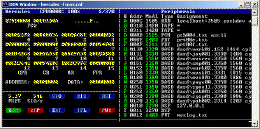
Hercules Console

[Click for larger image/information]

MVS 3.8 Console

The Hercules community runs a variety of vintage IBM mainframe operating systems which have been determined to be in the public domain, including MVT release 21.8, MVS release 3.8, DOS/VS release 34, and VM370 R6 (all from the 1970's time period).  Linux/390 by its very nature is publicly available.  Under the disaster recovery provisions of their licenses, some have successfully run more recent operating systems on their Hercules enabled systems."
 
#3270, #MVS, #IBM, #REXX, #JCL, #TSO, #SPF

Wednesday, October 14, 2026

What can I use a Thin Client for at home

My main desktop PC has enough power to virtualize Proxmox, a media server, and an AI engine, along with some other tools.  It's being wasted just surfing the web and playing Internet radio. I'm looking at setting up a Thin Client or two that can connect to this desktop and perform useful work.

"A thin client is a compact, low-power endpoint designed to display a virtual desktop streamed from a central server, cloud workspace, or remote PC. Instead of running apps locally, it offloads the heavy lifting to a remote machine and just handles the display, keyboard, and mouse on its end. "

https://www.thinvent.in/a/thinclient-at-home (vendor site):
Low Power Bills:  A thin client consumes as little as 5–10 watts — compared to 60–150 watts for a desktop PC. Over a year of typical use, you save a significant amount on your electricity bill.

No Noise, No Heat:  Many Thin Clients use fanless designs. It is well suited to a bedroom, study, or living room where noise would be disruptive.

Little to Break or Maintain:  Thin clients use solid-state flash storage and have few or no moving parts.

Virus and Malware Resistant:  Thinvent's Thinux OS is a read-only embedded Linux. Users cannot accidentally install malware or adware on the read-only system.

Small and Unobtrusive:  A thin client is roughly the size of a thick book. It fits behind a monitor, on a shelf, or in a TV cabinet. Many models include VESA mount brackets so they can be attached directly to the back of a monitor.

Common Home Use Cases:  Remote Desktop and Work From Home

Everyday Computing:  Web browsing, email, video calls (Zoom, Google Meet, Teams), YouTube, streaming, online banking — all of these work well on a thin client. For most home users who do not edit video or play games, a thin client handles everything they need.

Children's Study Computer:  A thin client running a read-only OS makes a good study computer.

Home Media Center:  Connect a thin client to your TV via HDMI and use it as a media player. Stream from YouTube, Netflix, or a home media server. The silent fanless design suits a living room setup.

https://www.reddit.com/r/HomeServer/comments/znhpi5/thin_client_for_use_as_a_low_budget_home_server/:
"Don't limit yourself to thin clients - consider older generation USFF PCs. I run a trio of HP 260s as my hypervisors - collectively they draw about 20W, but each one has 8 or 16GB RAM and either a SATA HDD or SSD. I got 2 of them together for about £30 each. The EliteDesk 800 series is the successor and should also be available pretty cheap.

I don't think you'd get a hypervisor on a thin client with a Celeron - performance would likely be very poor. My HPs are Haswell i3s and can crunch numbers if needed. The N2807 in the 3030 you picked is of similar vintage (2014) but does not have VT-d, whereas the i3-4030Us in my HPs do.

You'll also be very limited on RAM with a thin client - the RAM is generally not upgradable and quite low for the rest of the system. USFFs are usually socketed."
" Well, thanks for the input people. I think I narrowed down to this two:
- Dell Wyse Thin Client Dx0Q
- HP t620 Quad Core
The HP one comes with a SSD and the Dell does not, and both don't come with a power supply so I will need to buy it separately. In this regard the HP one wins, because of wide availability of PSU and the power supply of my HP notebook works with it.
RAM on the HP can be expanded up to 32 GB according to Parkytowers site: https://www.parkytowers.me.uk/thin/hp/t620/ and is easier than the Dell Wyse Thin Client Dx0Q: https://www.parkytowers.me.uk/thin/wyse/d/dx0q/
I plan to upgrade the SSD and RAM in the future if performance is good enough to merit an upgrade.
But my doubt is how much storage I will need to host the hypervisor minimum?. I've read Proxmox needs 3GB for the OS itself and XCP-ng needs 46GB to 70GB minimum. I don't know if this thin clients can boot from external attached storage through USB3 for example?"
"I booted my T620 off a thumb drive to load Debian/Octoprint on it, so it will boot from USB. I also upgraded the internal SSD to a 250GB."

Raspberry Pi prices are out of hand, and this $50 thin client makes a better home server:
https://www.xda-developers.com/this-mini-pc-is-cheaper-and-better-than-a-raspberry-pi-for-homelabs/
https://www.howtogeek.com/the-50-pc-thats-quietly-replacing-raspberry-pis-in-homelabs/:
"The thin client I purchased is an HP t620 model that was available for around $15 without memory and storage. It's similar to the Raspberry Pi Zero 2 W's original price. I purchased an 8GB DDR3 memory stick along with a 128GB SATA SSD for almost $35. So, I had to pay around $50 for a complete, usable computer."
"... any SBC with one-gigabyte memory, no matter how fast its bandwidth is, will barely suffice considering today’s standards. If you compare it to my setup, which has 8GB of memory, the price seems horrible. The 4GB memory models of both Raspberry Pi boards cross the $100 mark, and this is without any peripherals."
"My HP t620 has better connectivity than most of the SBCs available today. It has multiple USB ports, Ethernet, display ports, and all the other necessary connection inputs, along with a speaker."
"The thin client supports M.2 SATA SSDs of multiple form factors and can handle up to 16GB of RAM in a dual-channel configuration. So, I can upgrade the storage without purchasing additional connection modules, as I need for an SBC. I can also boost the memory capacity when my self-hosted setup demands more. As you expand your self-hosted tool library, the additional memory capacity makes it feasible to use the same computer for more demanding tasks."
"A thin client like the HP t620 won’t use more than 15 watts under stress, and that’s less than one percent of my annual bill amount."
"Plus, with a thin client, you can install any modern operating system, from Linux to Windows, which is something that the Raspberry Pi just simply can't compete with."

10 Best Thin Clients (October 2026) Tested & Reviewed:  https://www.thirstybear.com/best-thin-clients/

12 Best Thin Clients (October 2026) Expert VDI Reviews: https://acfc.org/best-thin-clients/
"The best thin clients today are not the bulky Wyse boxes from a decade ago. They are quiet, fanless mini PCs that sip 4 to 15 watts of power, boot in under 20 seconds, and connect cleanly to Citrix, VMware Horizon, Azure Virtual Desktop, and Windows 365."
"The 6th generation i5-6500T processor handles dual 4K streams over HDMI and DisplayPort without breaking a sweat. I had two spreadsheets, a 1080p video call, and three Chrome tabs open across both monitors and never saw the CPU climb above 35%. Sixteen gigabytes of DDR4 RAM is generous for a thin client and gives you headroom for heavy browser-based workloads."
"The 256GB SSD is fast for boot times but tight for anything beyond thin client duties. If you plan to use this as a general productivity machine, swap in a larger NVMe drive later."
"The integrated Intel HD Graphics 530 is sufficient for knowledge worker workloads including Microsoft 365 apps, web based SaaS tools, and light content editing."

Thin Clienting at Home (March 2010): https://www.instructables.com/Thin-Clienting-at-home/
"A thin client is basically a stripped down computer that is used as a window to the Terminal Server, some use complex platforms to connect to the server, but today I am using RDP because that was the easiest for me (and cheapest)."

Thin Client examples: https://forums.servethehome.com/index.php?tags/thin-client/:

Monday, October 12, 2026

Using a Raspberry Pi as an Oscilloscope: Hardware, Setup, and Limits | ElectricalFlux

https://electricalflux.com/mcu-projects/raspberry-pi-as-oscilloscope-adc-setup

How to build your own Raspberry Pi Oscilloscope | SB Bytes

https://singleboardbytes.com/707/build-own-raspberry-pi-oscilloscope.htm

PiScope (Raspberry Pi Based Oscilloscope) : 10 Steps - Instructables

https://www.instructables.com/PiScope-Raspberry-Pi-based-Oscilloscope/

Build an oscilloscope using Raspberry Pi and Arduino - Raspberry Pi

https://www.raspberrypi.com/news/build-oscilloscope-raspberry-pi-arduino/

Great PVC Projects | Family Handyman

https://www.familyhandyman.com/list/pvc-pipe-hacks/

Windows 11 hides a Windows 7 folder that beats the Settings app, and I use it every day

The GodMode hack … https://www.xda-developers.com/windows-11-hides-a-windows-7-folder-that-beats-the-settings-app-and-i-use-it-every-day/

Saturday, October 10, 2026

Why is my Computer Slow? TMOG Knows Why!

A task manager with added features. https://www.tmog.org/

Tuesday, October 6, 2026

A $58 PCIe card with AMD’s B650 Chipset supports 4 M.2 Slots, a 10 Gbps USB-C Port, & more.


"Another hardware manufacturer has debuted its own Add-in-Card based on the AMD B650 chipset. A few months ago, we heard about such a B650-based AIC by Lekuo, which turned the PCIe slot into several ports. Now, JGINYUE has launched a new B650 AIC that brings AMD's B650 chipset to a PCIe expansion card. It offers additional connectivity for systems that have limited motherboard expansion options."
"...  it brings a 6-pin PCIe connector ... the company says it exists to provide auxiliary power for the USB connectivity. JGINYUE recommends using it even when the card is being used only with m.2 SSDs."

Sunday, October 4, 2026

10 Cars That Sold Like Crazy for One Year and Then Vanished Completely – Vehicle HQ

This is a list of some memorable vehicles that ended up not being sold for many years: https://vehq.com/cars-vanished-after-one-year/

Saturday, October 3, 2026

GENIAC Kit Parts List and Modern Rebuild Guide

https://philreichert.org/read/0294-geniac-parts-list.html

Geniac Electric Brain Kit Manual | PDF | Switch | Electrical Wiring

https://www.scribd.com/document/742477245/Geniac-Manual

GENIAC Analog Computer - vintage analog kit

https://philreichert.org/read/0098.html

Friday, October 2, 2026

CMP to Sell Converted M14 Machine Guns to Civilians - The Smoking Gun | The Smoking Gun

M14s are pleasant shooting and historic semi-automatic rifles in 308 Winchester. https://smokinggun.org/cmp-to-sell-converted-m14-machine-guns-to-civilians/